GNU Emacs Cheatsheet
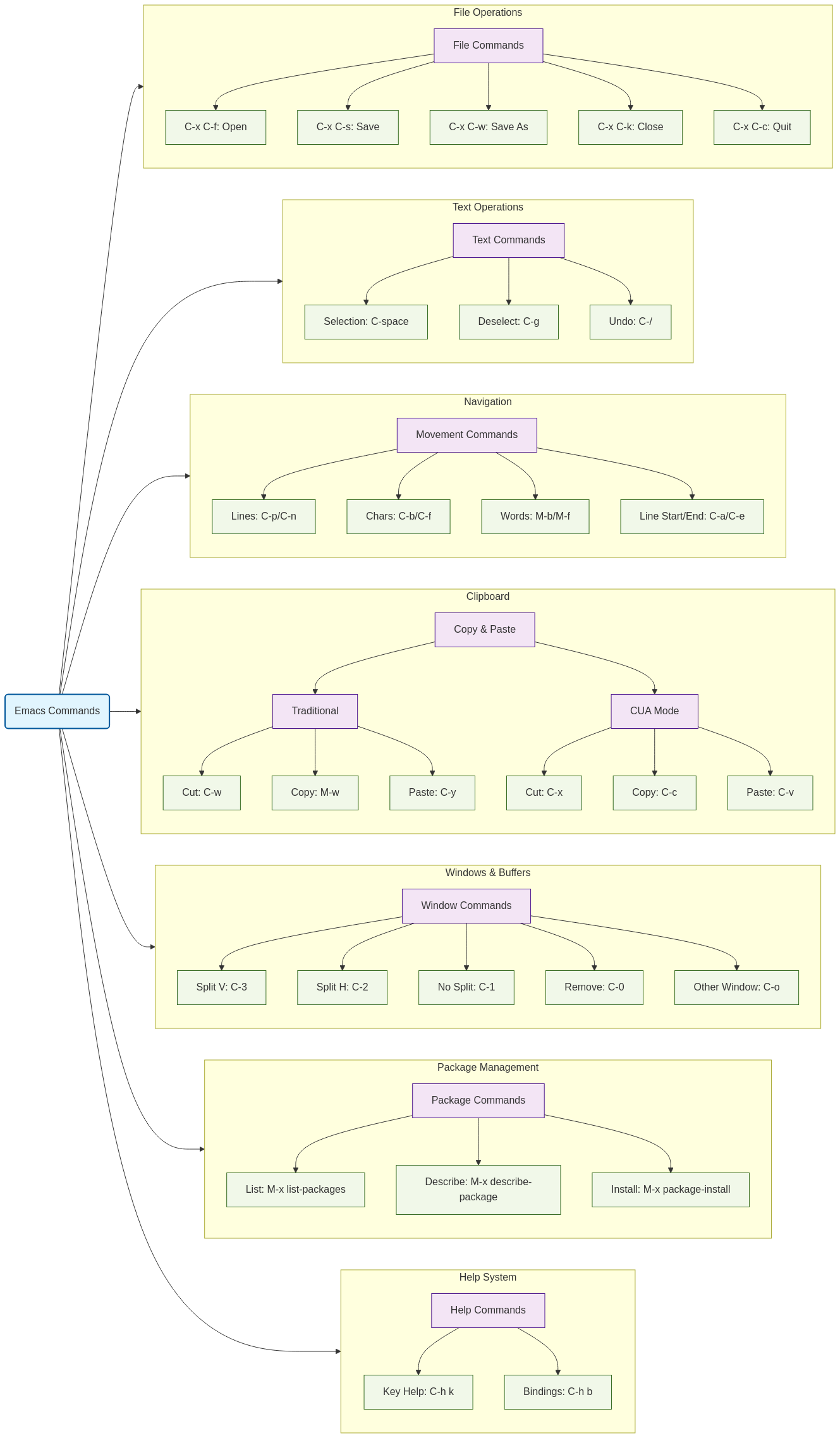
Emacs Commands Relation Diagram
Key Notation
C- means hold the Control keyM- means hold the Alt key (Meta) or press and release EscapeC-x means press Control and 'x' togetherM-x means press Alt and 'x' together or press Escape then 'x'
File Operations
| Command |
Description |
C-x C-f |
Open a file |
C-x C-s |
Save current file |
C-x C-w |
Save as... |
C-x C-k |
Close file |
C-x C-c |
Quit Emacs |
Text Selection
| Command |
Description |
C-<space> or C-@ |
Start selection |
C-g |
Deselect |
Navigation Commands
Line Navigation
| Command |
Description |
C-p |
Move to previous line |
C-n |
Move to next line |
Character Navigation
| Command |
Description |
C-b |
Move back one character |
C-f |
Move forward one character |
Word Navigation
| Command |
Description |
M-b |
Move back one word |
M-f |
Move forward one word |
Line Boundaries
| Command |
Description |
C-a |
Go to start of line |
C-e |
Go to end of line |
Copy & Paste Operations
Traditional Emacs Style
| Command |
Description |
C-w |
Cut (Kill) |
M-w |
Copy |
C-y |
Paste (Yank) |
C-k |
Cut line after cursor |
M-d |
Cut word after cursor |
Modern Style (CUA Mode)
| Command |
Description |
M-x cua-mode |
Activate modern copy & paste |
C-x |
Cut |
C-c |
Copy |
C-v |
Paste |
Undo Operations
| Command |
Description |
C-/ or C-x u |
Undo last operation |
Windows, Frames, and Buffers
Split Operations
| Command |
Description |
C-3 |
Split window vertically |
C-2 |
Split window horizontally |
C-1 |
Remove all splits (single window) |
C-0 |
Remove current window |
Buffer Management
| Command |
Description |
C-x <arrow> |
Cycle through active buffers |
C-o |
Visit other split window |
Frame Management
| Command |
Description |
C-x 52 |
Open a new frame |
Emergency Commands
| Command |
Description |
C-g |
Cancel current operation/command |
Help System
| Command |
Description |
C-h k <key combo> |
Show key combination binding |
C-h b |
Display all key bindings |
Package Management
| Command |
Description |
M-x list-packages |
List all available packages |
M-x describe-package |
Describe package at cursor |
M-x package-menu-mark-install |
Mark package for installation |
M-x package-install-selected-packages |
Install marked packages |
Important Concepts
- Buffer: Holds a process or file content
- Window: Your view of a buffer
- Frame: The desktop window containing Emacs
Additional Navigation Methods
- Use arrow keys for cursor movement if available
- Use mouse to click and drag for text selection
Tips for New Users
- Start with basic file operations and navigation
- Learn the help system commands early
- Consider using CUA mode if coming from other editors
- Practice emergency cancel (
C-g) for when things go wrong
- Use package management to extend functionality
Customization Basics
Common Workflows
File Management Workflow
- Open Emacs
- Use
C-x C-f to find file
- Edit content
- Save with
C-x C-s
- Close with
C-x C-k or quit Emacs with C-x C-c
Text Editing Workflow
- Navigate to location
- Start selection with
C-<space>
- Move cursor to select text
- Cut/copy as needed
- Navigate to new location
- Paste content
Window Management Workflow
- Split window as needed (
C-2 or C-3)
- Open different files in splits
- Use
C-o to switch between splits
- Close splits when done (
C-0 or C-1)
Best Practices
- Learn the help system first
- Practice navigation commands
- Use package management for extensions
- Learn buffer management
- Master window splitting
- Understand the difference between kill/yank and modern copy/paste
- Keep emergency commands in mind
